
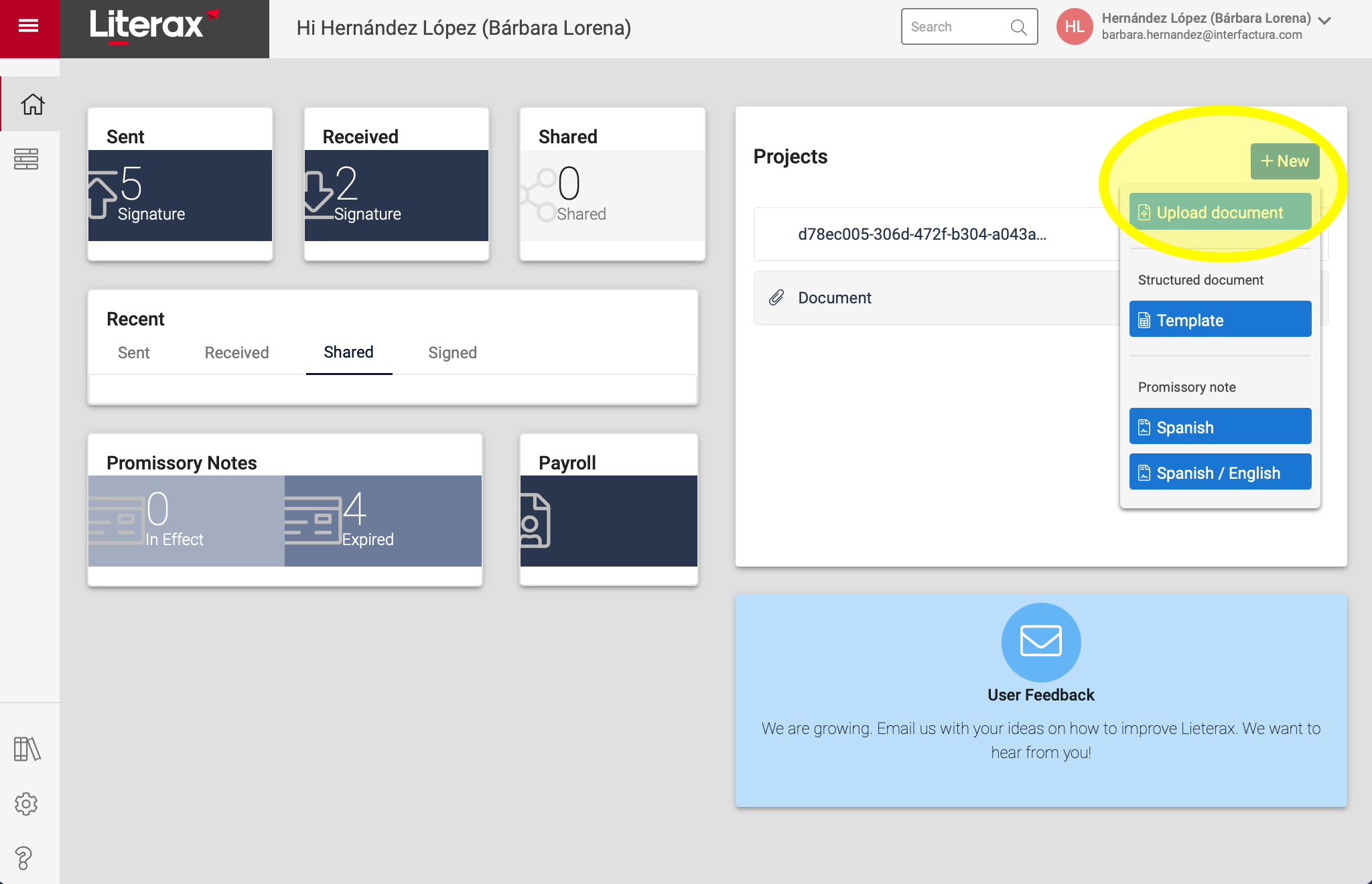
1. Click + New | Upload document
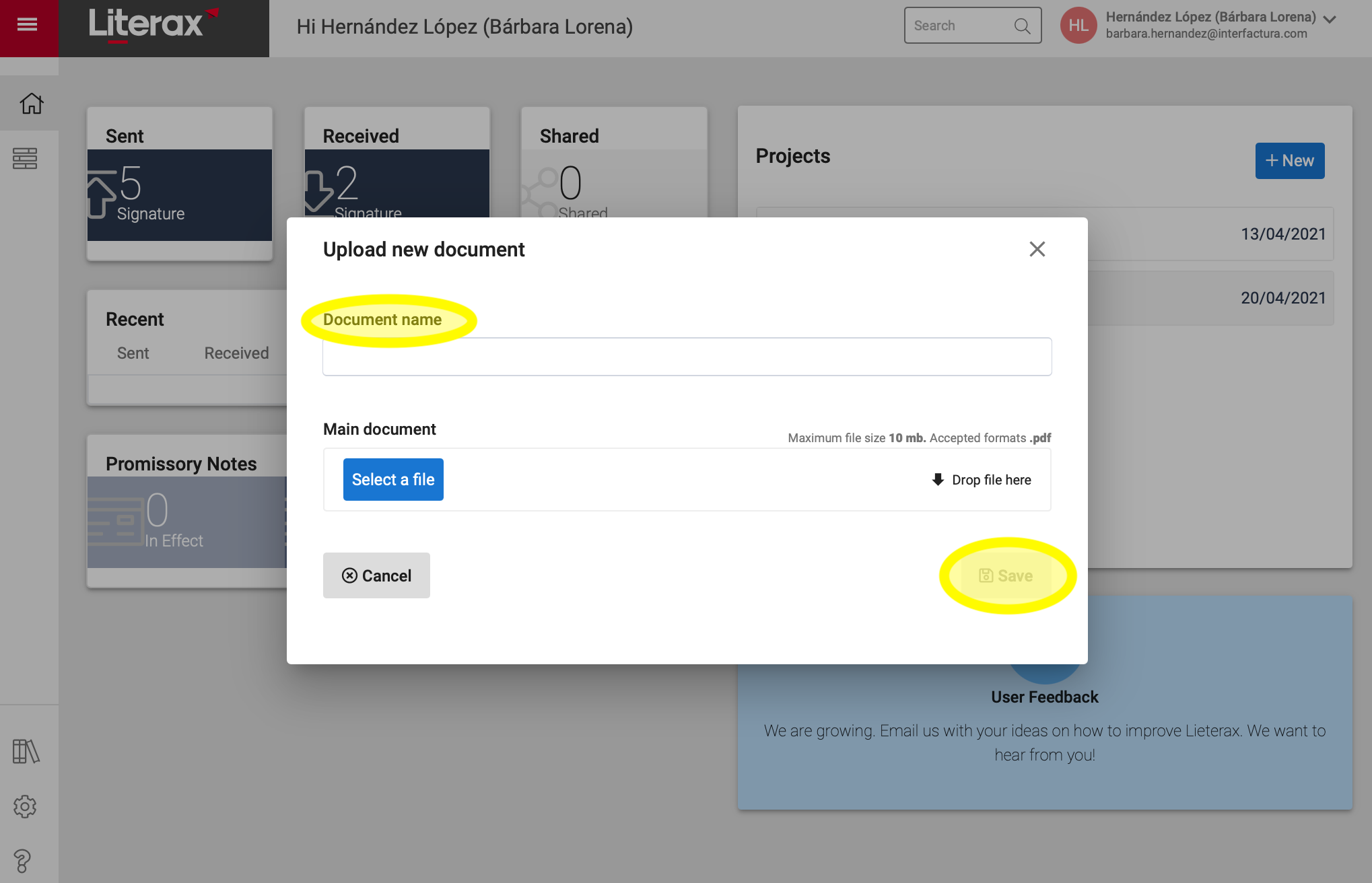
2. Assign a Document name, upload the document and click Save
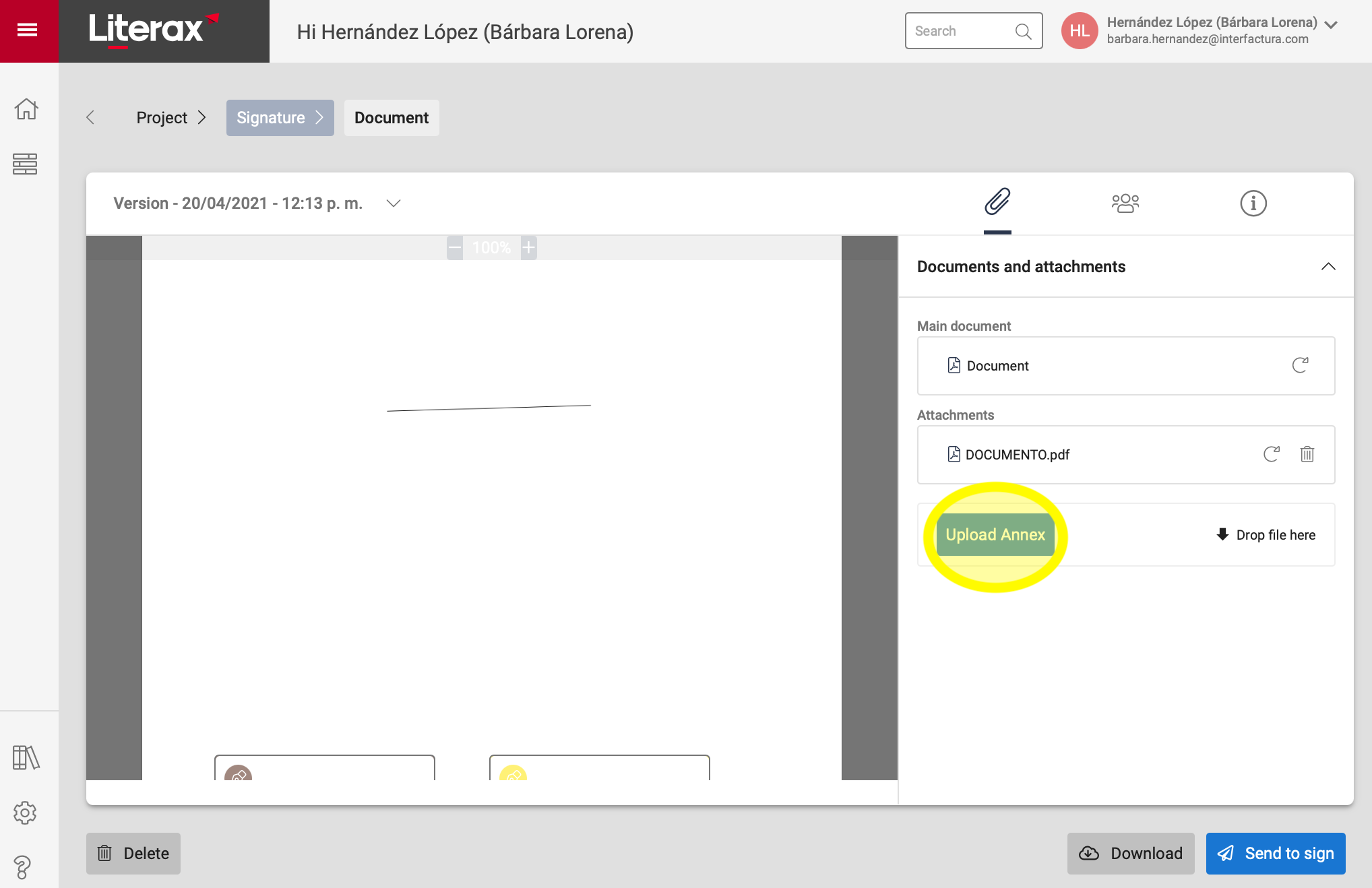
Do you need to add Attachments?
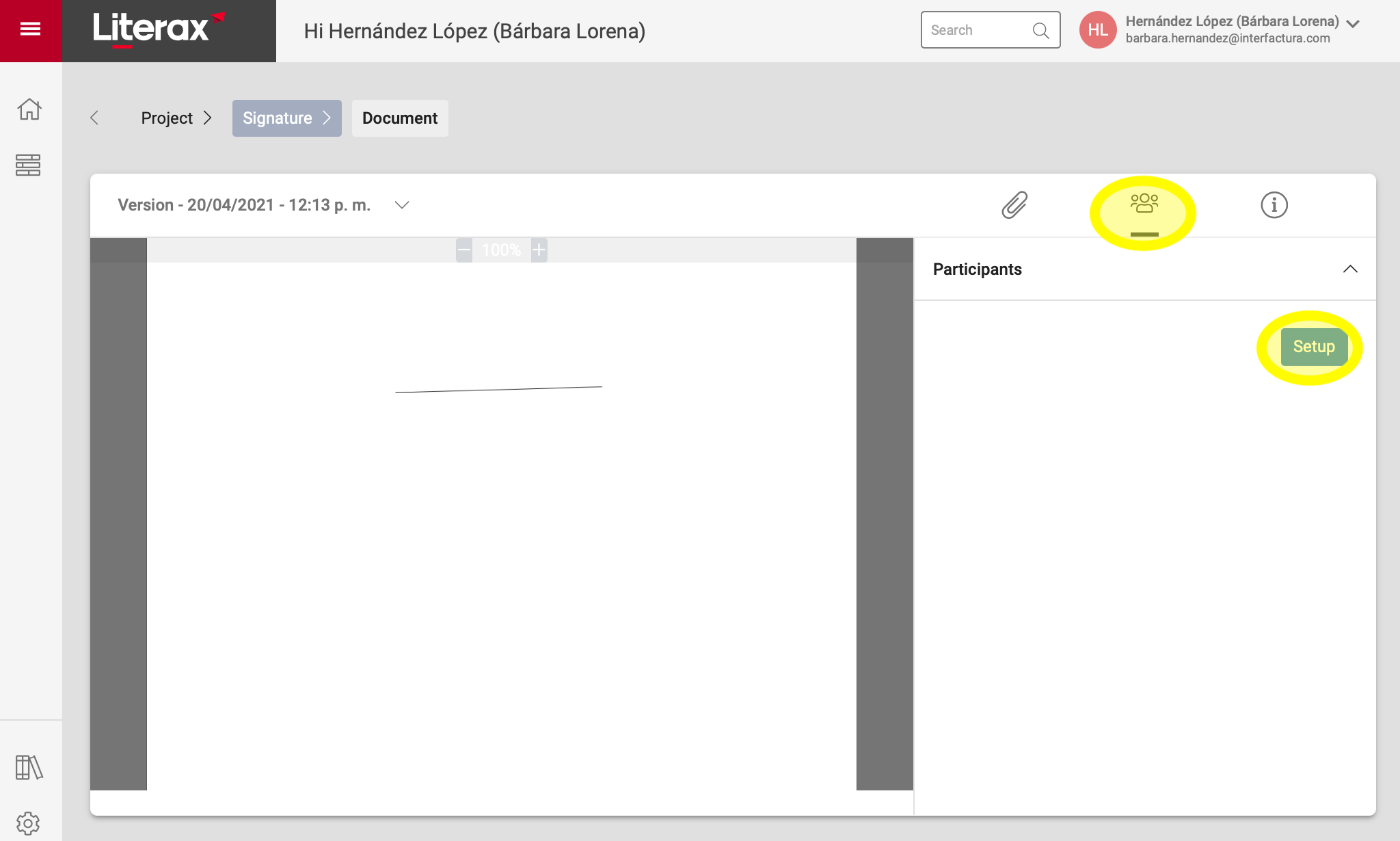
3. In the Participants tab, click Setup
4. Save or edit the data of your Signers and if you want other people to hava access to see the document, you can add Observers.
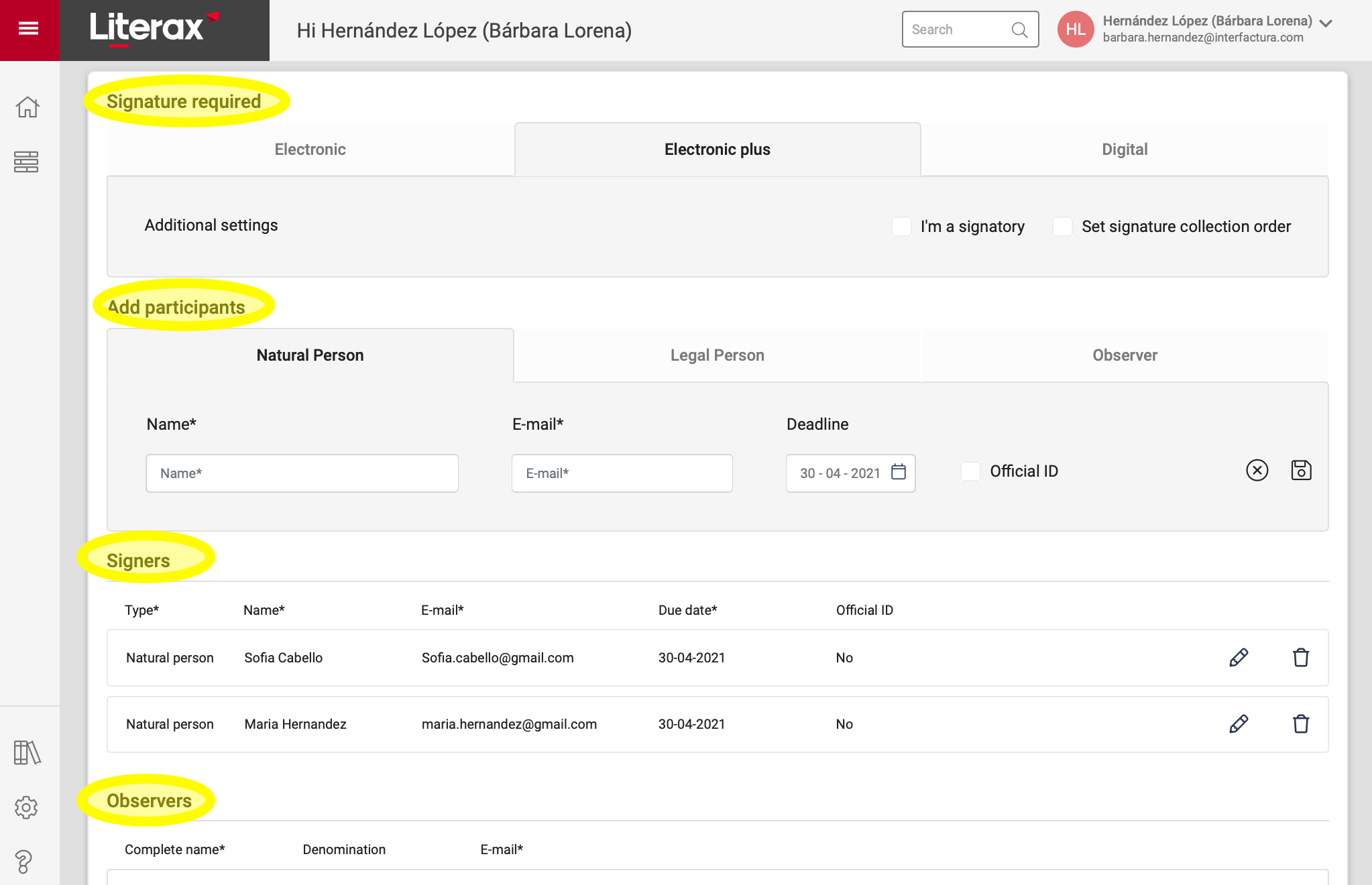
5A. In Electronic and Electronic Plus signature processes, you must Go to document to position the signature box in your main document and attachments.
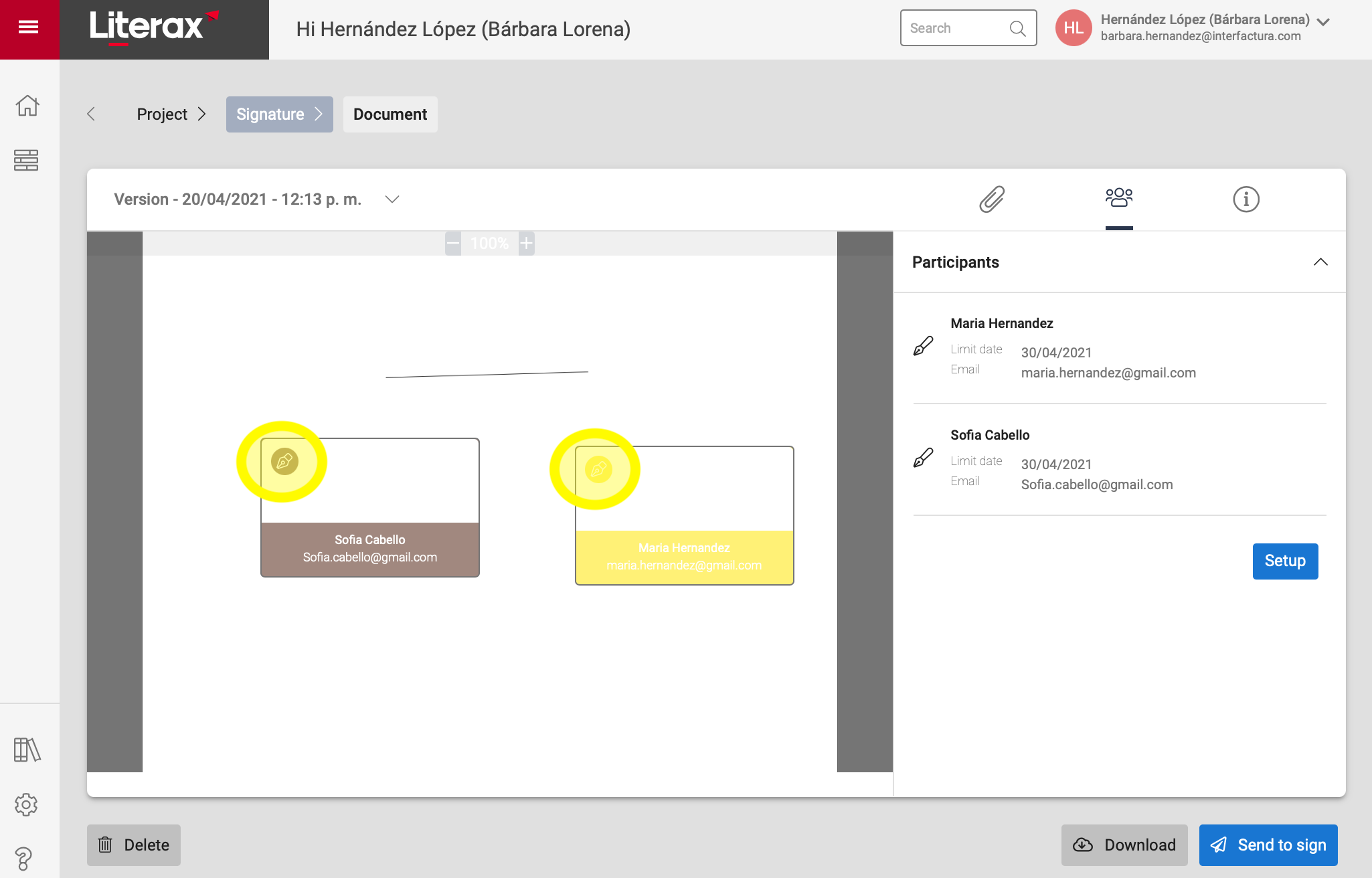
5B. In the Digital Signature process, after saving the Signatories and Observers data, you are ready to Send to sign.