You can create a new Interfirma user by following these steps:
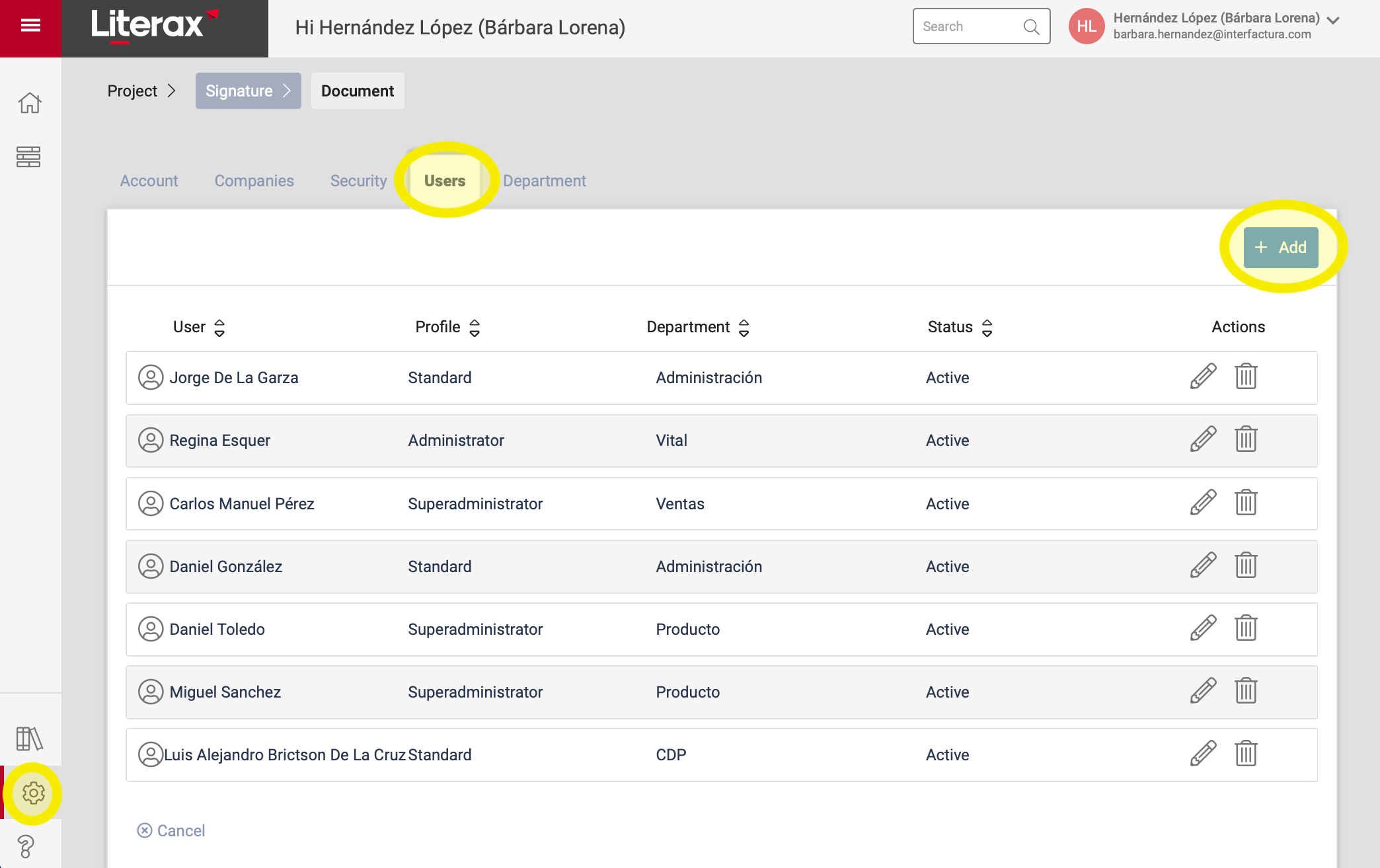
1. Enter the Settings panel
2. Select the Users tab
3. Click the + Add button located at the top right of the tab
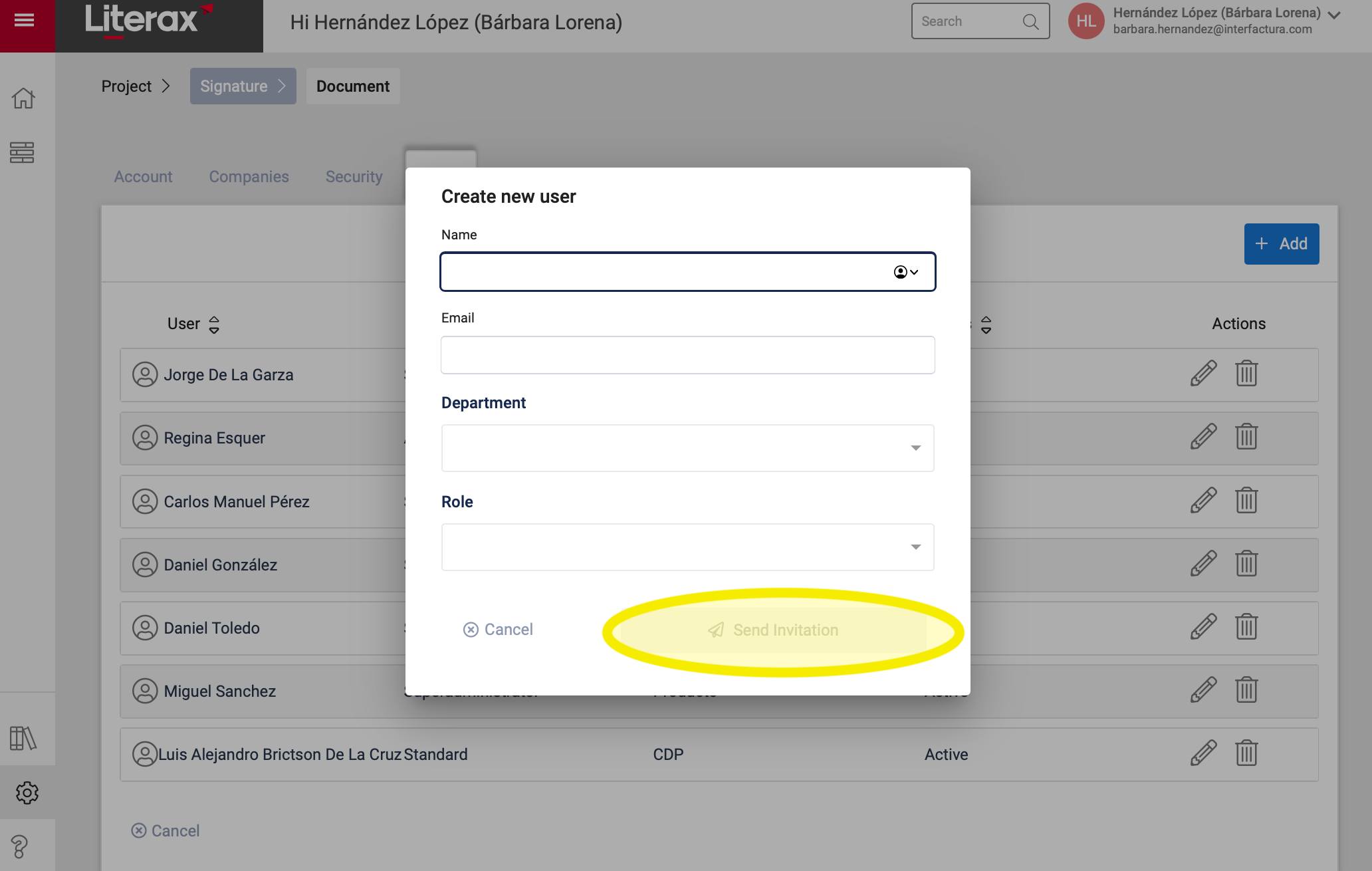
4. A pop-up window appears where you register:
Name
Email
Department to which it belongs
Role / Profile
5. Once you register this information, click Send Invitation
6. Ready ! The user you registered will receive an invitation email to register as an Interfirma user.