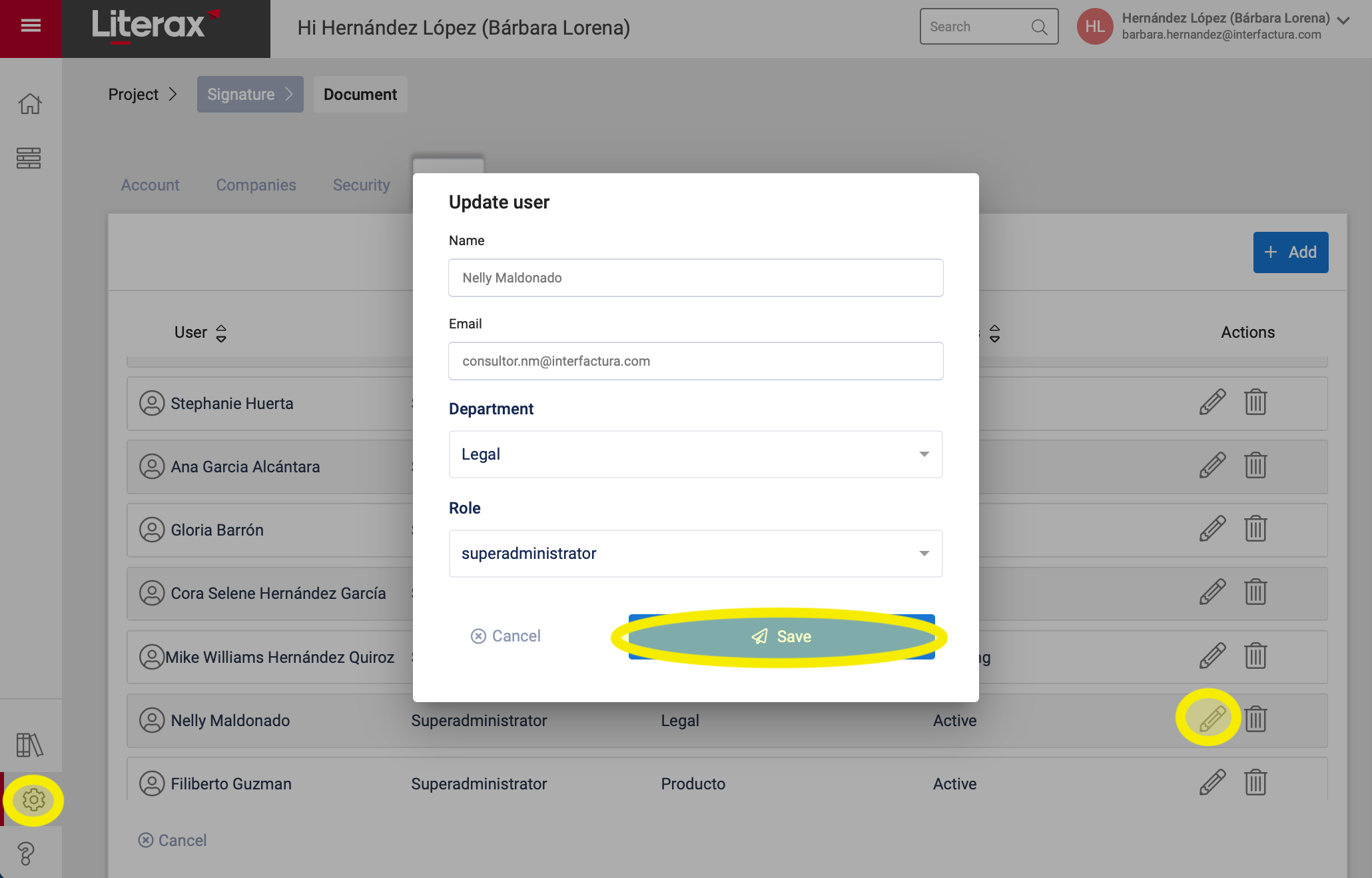
You can edit or change a user, following these steps:
1. Enter the Settings panel
2. Select the Users tab
3. Find the user record you want to update and click Edit (represented by a pencil icon)
4. A pop-up window appears where you can change:
Name
Email
Department to which it belongs
Role (permissions)
5. Once you register this information, click Save
6. Done ! The user is updated with the new information.