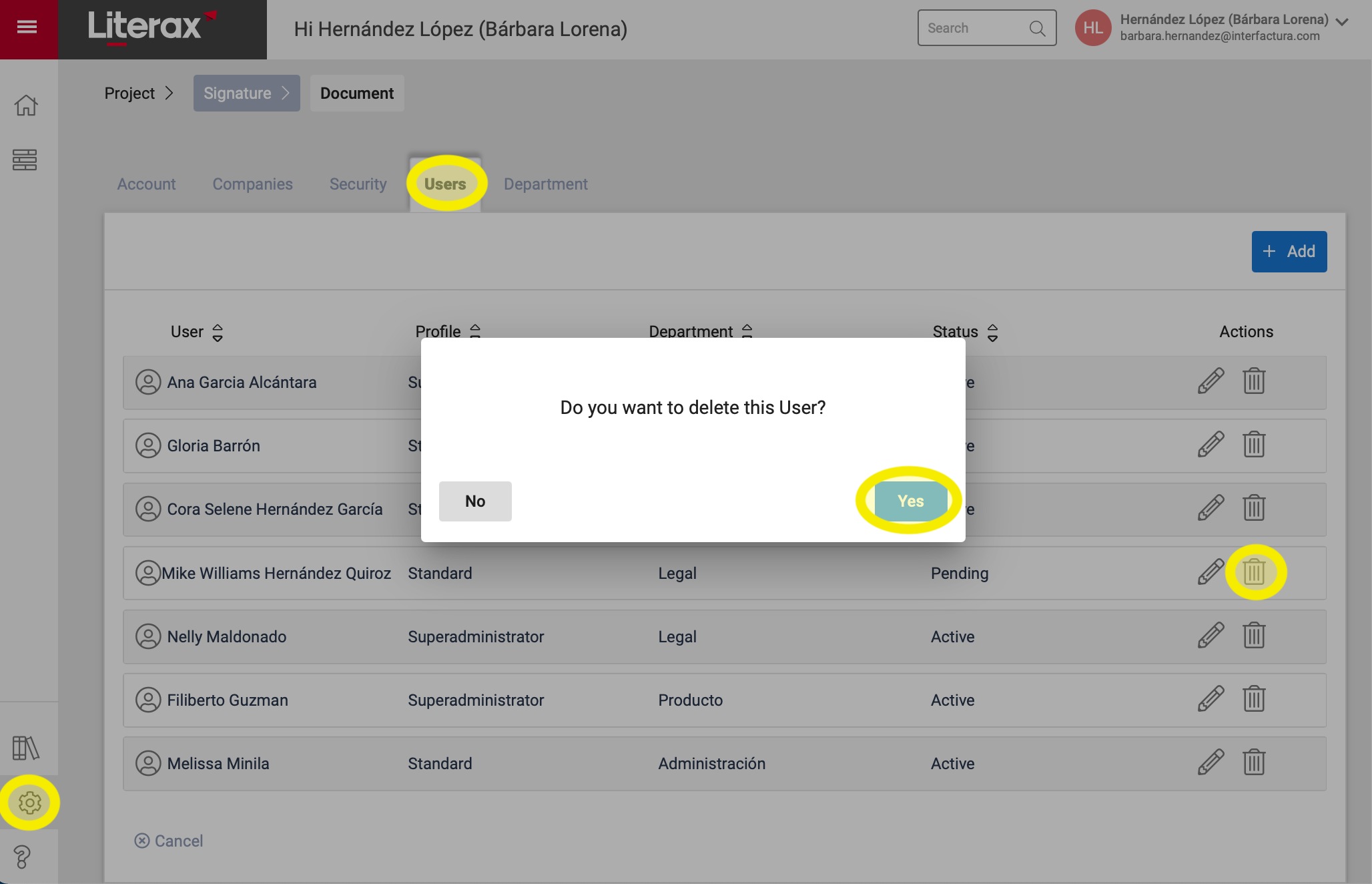
1. Enter the Settings panel.
2. Select the Users tab.
3. Find the user record you want to delete and click Delete (represented by a trash can icon).
4. A pop-up window appears with the legend "Do you want to delete this User?" Click Yes to confirm.
5. Ready ! The user is permanently eliminated when using the platform.