
1. Go to the Smart Document section
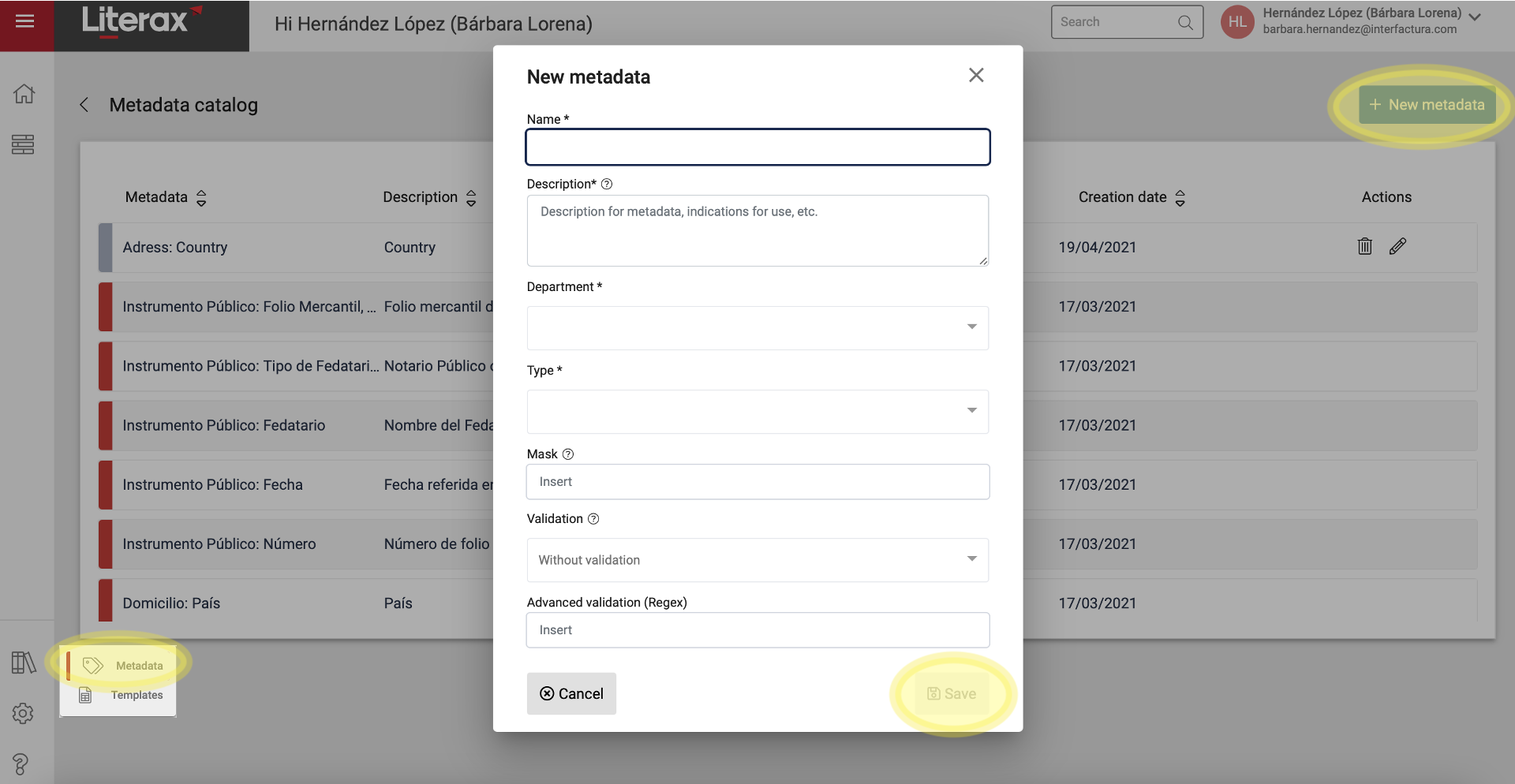
2. Select Metadata / New Metadata
3. Establish the minimum fields required for the creation of the New Metadata, which are:
- Name
- Description
- Department
- Type
4. If controls are required, add a specification for:
- Mask: Format (see related article)
- Pre-established validation: Choose from the list (see related article)
- Advanced validation: Regex standard, Regular expressions (see related article)
5. Save
All set ! The New Metadata will be added to the Metadata Catalog of the selected Departments.