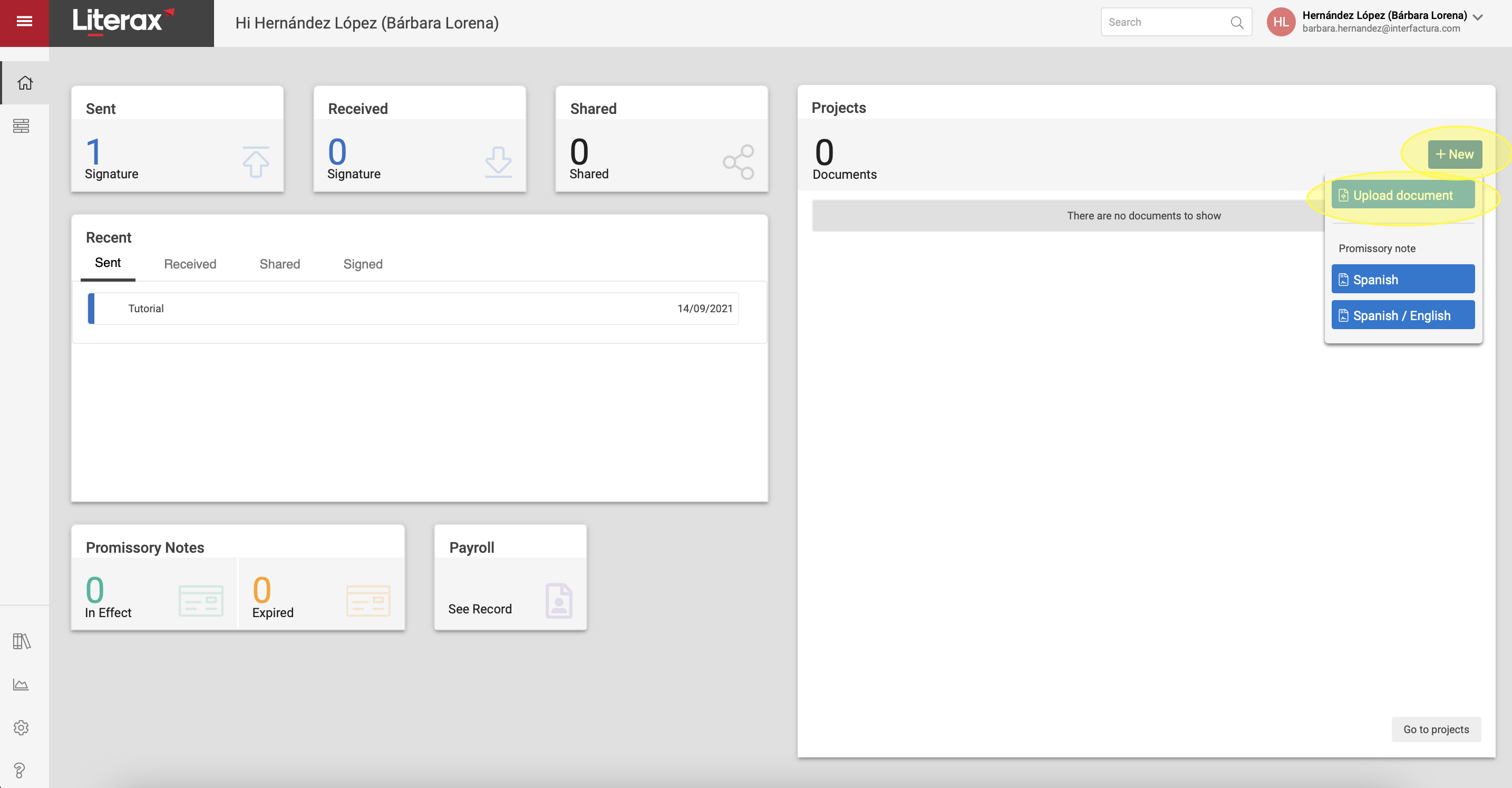
To create a signature process you must upload a New Document, and you can do it by following the following steps:
1. Click + New | Upload Document
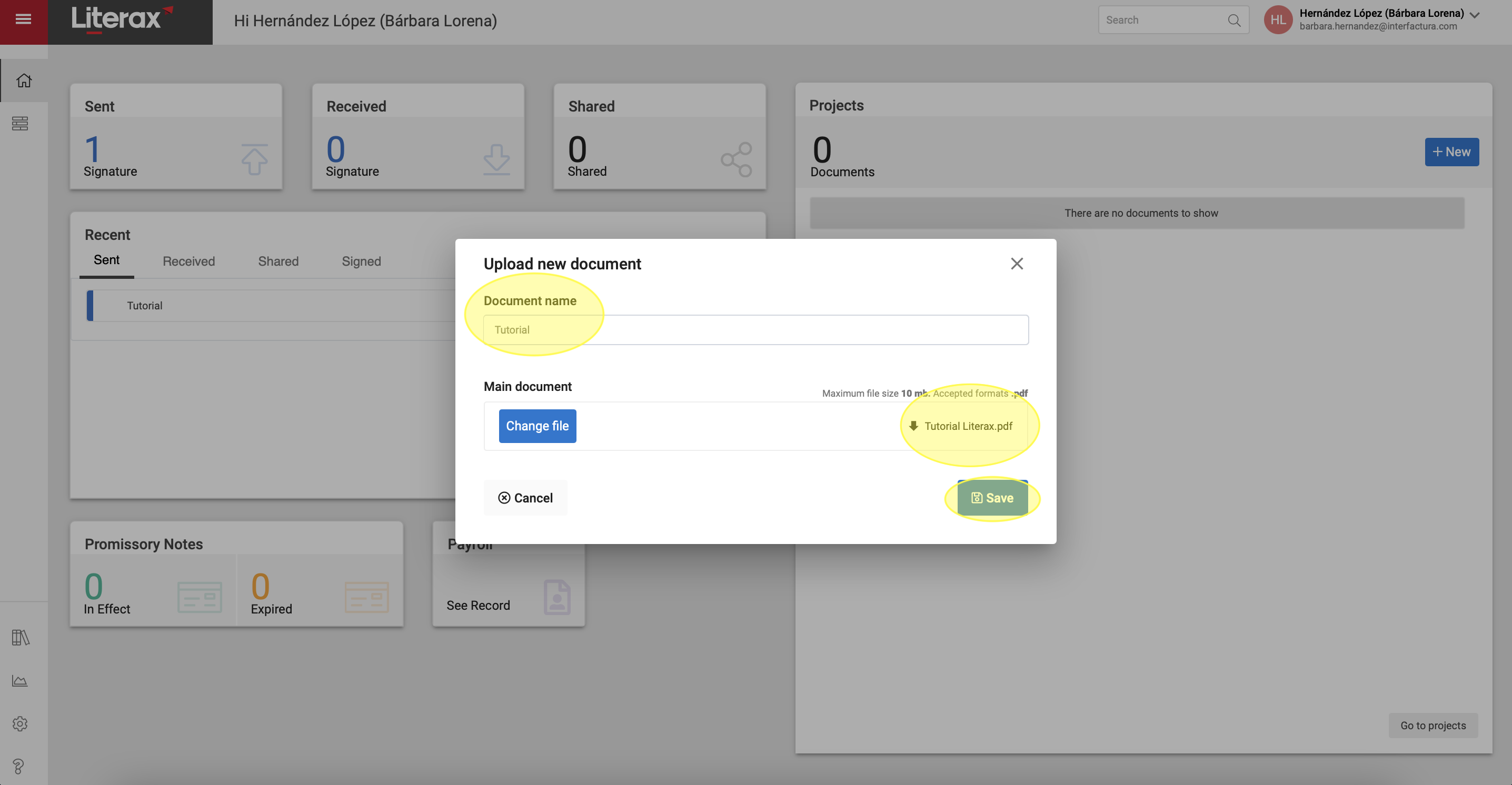
2. Enter the name of the document as you want it to be identified.
3. Select Upload File and upload the .PDF file that you want to send for signature or drag it from the folder where you have it saved to the button with the legend Drag here.
4. Select Save.
5. And done! You have uploaded a New Document.